
New Series

Sunday, October 5, 2014
A Good 24" 144Hz Gaming Monitor Option:

Skullcandy Crusher: Design and Comfort

TheSkullcandy Crusher are full-size headphones that are all-black (white and red models are available) and made of plastic. By Skullcandy standards, they’re reserved-looking.
There are little silver skulls on the earcups and silver ports for the sub drivers on each side, but from a company that makes some of the gaudiest headphones on the planet, the Skullcandy Crusher headphones are pretty normal in appearance.
Build quality isn’t particularly impressive, though. They’re light (not a bad thing as such) and plasticky, and the fake leather that tops the Crusher padding is as convincing as Keanu Reeves’s English accent.
Still, comfort is fine. The pads are generous and reasonably soft, there’s enough wiggle room in the headband to make it fit just about any head and the headband doesn’t dig into your skull. They grip your head with at least a moderate force, but you can wear them for an hour or so happily enough.
Castlevania Lords of Shadow 2

Castlevania: Lords of Shadow 2 (悪魔城ドラキュラ ロード オブ シャドウ 2 Akumajō Dorakyura Rōdo obu Shadō 2?, officially translated Devil's Castle Dracula: Lords of Shadow 2) is an action-adventure game, the sequel to the 2010 game Castlevania: Lords of Shadow, and the 34th installment in the Castlevania franchise (37th if one includes the 3 Pachislot games).
The game was developed by MercurySteam and published by Konami. It was released late February 2014 in both North America and Europe and on March 2014 in Australia. A Japanese release was released on September 4, 2014. A downloadable chapter has also been released in March from the same year.
Downloadable content
On March 25, 2014, the first downloadable content was released, entitled "Revelations". The story serves as a prequel to the main game and focuses on Dracula's son, Alucard who is on a quest to reclaim the Void Sword and Chaos Claws for his father when he awakens. Alucard plays similarly to Dracula, but has abilities unique to him such as Bat Cloud which allows him to teleport to hard-to-reach places, Timeless Vision which lets him temporarily reverse time, and Spectral Wolf which allows him to get past certain obstacles.
Tuesday, September 30, 2014
Razer BlackWidow Ultimate
The BlackWidow Ultimate isn't small, but it uses its size in smart ways. The keyboard measures 18.7 x 6.74 inches, compared with 21.5 x 9.6 inches for the Corsair Vengeance K95 or 17.3 x 5.4 inches of the Feenix Autore. Users will need to carve out some desk space, but not an excessive amount.
The keyboard's layout is also beyond reproach. With a 3.5 mm key travel, the keys felt close together without being cramped. Five macro keys on the side had just enough space between them so that we rarely hit them by accident.
DESIGN FOR THE BEST

KEYS

Features
The keyboard's layout is also beyond reproach. With a 3.5 mm key travel, the keys felt close together without being cramped. Five macro keys on the side had just enough space between them so that we rarely hit them by accident.
DESIGN FOR THE BEST
KEYS
Features
When it comes to peripheral software, Razer sports one of the best programs in the business: Razer Synapse 2.0. With this software, users can remap any key, record and assign macros, customize a specialized Gaming Mode and control the keyboard's lighting. Not only is Razer Synapse 2.0 fairly foolproof, but it's comprehensive as well, particularly if you use both a Razer keyboard and mouse.
One thing that sets the BlackWidow Ultimate apart from its nearest competitors is the ability to create multiple profiles and link them with individual games. While there is a question of how useful this feature is — keyboards are, by definition, intended for out-of-the-box use with every program on a PC — it's still something that most keyboards don't offer. Even the Logitech G710+, a very similar peripheral with top-notch software, only offers three non-linkable profiles.
Recording macros on the BlackWidow Ultimate is not terribly difficult, although it's a bit of a process. Users have to hit a function button and F9 (which are not close to one another), input the macro, stop the recording and then choose a button for it. This process is confusing and easy to mess up — we even accidentally replaced the 1 button with a macro and had to go into the Synapse software to fix it. Once you get the rhythm down, it's not so bad, but we still prefer the dedicated macro record buttons on Corsair and Logitech models.
Sunday, September 28, 2014
what TV should you buy?
LED TV: Direct LED
These displays are backlit by an array of LEDs (light emitting diodes) directly behind the screen. This enables localised dimming – meaning immediately adjacent areas of brightness and darkness can be displayed more effectively – and greatly improves contrast. LED TVs are also more power efficient and capable of a wider colour gamut than CCFL sets.
LED TV: Edge LED
The LEDs of the backlight are mounted along the edges of the panel. This arrangement enables radically slender displays and offers superior contrast levels to CCFL, but can't achieve the same picture quality as directly lit LED sets. However, they do come in far cheaper which is why most LED TVs out there now use this technology.
OLED TV
The backlighting on OLED (organic light emitting diode) sets is achieved by passing an electric current through an emissive, electroluminescent film. This technique produces far better colours and higher contrast and also enables screens to be extremely thin and flexible. This is the holy grail display technology and only in 2014 did a bigscreen OLED TV go on sale. So it's brand new, it's expensive and the top brands are still struggling to get their heads around it.
Plasma TV
PDP (plasma display panel) TVs use glass panels containing millions of tiny cells filled with a mixture of inert gases. Electricity excites the gases, causing them to illuminate the pixels across the screen. Plasma, while arguably superior to LCD in terms of contrast and colour accuracy, is only viable on large (42in+) screens and has been dropped by all but a handful of manufacturers.
Curved TV
Some manufacturers are now making TVs that have slightly curved screens. But unlike old CRT TVs, the curve is inwards rather than outwards. The idea is that this makes every pixel equidistant from your eyes, delivering a more satisfying picture. However, there are drawbacks for this type of screen - the main one being that if you sit far enough to one side – more than 40 degrees or so – the curve clearly starts to affect the image's geometry, foreshortening content near to you and compressing the image's centre.
These displays are backlit by an array of LEDs (light emitting diodes) directly behind the screen. This enables localised dimming – meaning immediately adjacent areas of brightness and darkness can be displayed more effectively – and greatly improves contrast. LED TVs are also more power efficient and capable of a wider colour gamut than CCFL sets.
LED TV: Edge LED
The LEDs of the backlight are mounted along the edges of the panel. This arrangement enables radically slender displays and offers superior contrast levels to CCFL, but can't achieve the same picture quality as directly lit LED sets. However, they do come in far cheaper which is why most LED TVs out there now use this technology.
OLED TV
The backlighting on OLED (organic light emitting diode) sets is achieved by passing an electric current through an emissive, electroluminescent film. This technique produces far better colours and higher contrast and also enables screens to be extremely thin and flexible. This is the holy grail display technology and only in 2014 did a bigscreen OLED TV go on sale. So it's brand new, it's expensive and the top brands are still struggling to get their heads around it.
Plasma TV
PDP (plasma display panel) TVs use glass panels containing millions of tiny cells filled with a mixture of inert gases. Electricity excites the gases, causing them to illuminate the pixels across the screen. Plasma, while arguably superior to LCD in terms of contrast and colour accuracy, is only viable on large (42in+) screens and has been dropped by all but a handful of manufacturers.
Curved TV
Some manufacturers are now making TVs that have slightly curved screens. But unlike old CRT TVs, the curve is inwards rather than outwards. The idea is that this makes every pixel equidistant from your eyes, delivering a more satisfying picture. However, there are drawbacks for this type of screen - the main one being that if you sit far enough to one side – more than 40 degrees or so – the curve clearly starts to affect the image's geometry, foreshortening content near to you and compressing the image's centre.
Saturday, September 27, 2014
Laptop buying guide

1. What are you going to do with it?
All-Purpose: If you want to do a little bit of everything or plan to share your laptop amongst family members, you can consider anything from an inexpensive 15-incher that mostly stays in your living room to a lightweight 11- or 13-inch system you carry around the house. Depending on how much gaming and graphics work you want to do, expect to spend between $400 and $800.
2. Choose the Right Size

3. Check That Keyboard and Touchpad

The most impressive specs in the world don’t mean diddly if the laptop you’re considering has bad ergonomics. Ask yourself a few questions to test this important quality: Does the keyboard have solid tactile feedback and enough space between the keys? Is the touchpad smooth to operate, or is it jumpy? Do the mouse buttons have a satisfying click, or do they feel mushy? How well do multitouch gestures work? Can you zoom in and out with ease, and select text using the touchpad without the cursor skipping around?
4. Know Your Specs

- Hard Drive/SSD
- RAM
- Flash Cache
- Display
- Touch Screen
- Graphics Chip
- DVD/Blu-ray Drives
Monday, September 22, 2014
Intel
Intel Socket 2011: Today’s Top Consumer CPUs
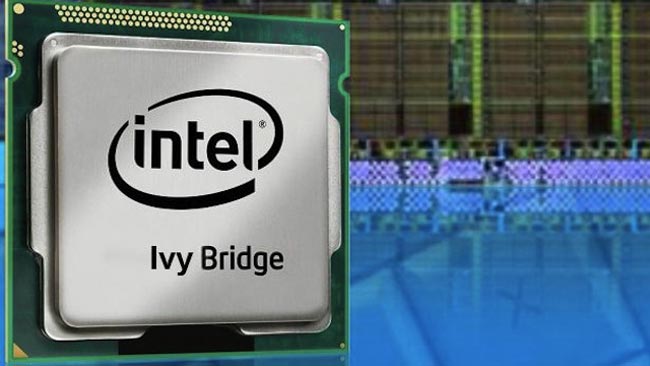
Socket 2011 is Intel’s cost-no-object platform. Development of chips on this platform is a little behind the very leading edge, but the processors that work on Socket 2011 motherboards are brute-force crankers with prices to match. That said, Socket 2011 only makes sense for buyers seeking extreme multithreaded performance, or those looking for the maximum possible PCI Express bandwidth for an extreme gaming rig using more than two high-end video cards. (Socket 2011 allows for extra PCI lanes, in essence widening the highway for video-card throughput.)
Still, don’t discount it: This socket is home to the fastest raw-performance consumer processor you can buy today: the thousand-buck Intel Core i7-4960X Extreme Edition$1,048.99 at Amazon, which rolled out in summer 2013 under the family code-name “Ivy Bridge-E” (“E” for “Extreme”), along with a couple of cheaper six- and four-core variants (at around $550 and $350, respectively). The selection of consumer-grade CPUs (as opposed to server or Xeon parts) available for Socket 2011 isn’t large, but they are the beefiest consumer CPUs on the market. The Core i7-4960X is a six-core chip that supports Hyper-Threading, for up to 12 threads you can tap into for highly multithreaded tasks.
In no way will this chip disappoint mere mortals, but at $1,000-plus, it’s not for most buyers, and you'll only see its true power if you specifically need the maximum possible performance with multithreaded programs (example: everyday work with high-end video editors, rendering software, or Adobe Creative Suite apps). If you work in apps like these and any time you spend waiting for the PC to render is money lost, these chips are in your wheelhouse. Otherwise, it’s doubtful you’ll see your money’s worth. Also know that the Socket 2011 chips lack on-chip graphics, so you'll need a dedicated video card to use with these.
AMD

Upgradable platform
Designed to grow as your needs do.
- Utilize the flexible AM1 platform and select the AMD Athlon™ or AMD Sempron™ APU that’s right for you
- Pack more performance into your rig as the AM1 platform updates and improves
Take advantage with affordable, multitasking performance and sharp, vivid HD graphics
- AMD Radeon™ R3 graphics help exceed expectations for accelerated HD playback and everyday performance
- Socketed AM1 motherboards can enable small, sleek form factors with extraordinary value
Enjoy dynamic interactivity and exceptional features, including:
Microsoft® DirectX® 11.2 and support for Windows 8.1 for an immersive experience on the most advanced OS
Video Codec Engine (VCE) enables fast encoding across multiple devices so you can enjoy media almost anywhere
Support for lightning-fast USB 3.0 and SATA 6GBps connectivity so you can access the content you want, whenever you need it.
SPECS:

Sunday, September 21, 2014
New 3d Design Printer

ULTIMAKER 2 Review
Specifications:
- Desktop Space: 338 x 358 x 389 mm
- Build Volume: 230 x 225 x 205 mm
- Speed: 30 - 300 mm/s
- Quality: up to 20 micron (0.02mm)
Open source
Just like the Original the Ultimaker 2 will remain open source. We dare to share our knowledge because we believe we can achieve even more when working together.
Easy to use and reliable
To operate the Ultimaker 2 you don’t need any specific technological knowledge. With its 49 decibel it’s a quiet machine. Because the electronics are bundled the Ultimaker 2 is stable and reliable. With its nice design the Ultimaker 2 is suitable in any working or living interior.
Designed for non-expert and expert
We’ve made the Ultimaker 2 to be as easy as possible. You don’t need to have a huge technological background to understand our printer. At the same time we’ve developed the printer in a way that it’s still interesting for experts to work and create with.
Larger build ratio
We’ve managed to get an even better print-to-size ratio. This means the printer size has remained the same, and the print envelope became bigger.
Low cost material
Beside the fact that the Ultimaker doesn’t use a lot of power, the material is also low cost.
The maximum height of printed models.
More is Better
inches
0
2
4
6
8
10
12
Monday, September 15, 2014
Dota 2 ???


Dota 2 features a host of items, which the player obtains mostly by purchasing with gold. Items vary in function: some enhance the statistics of a Hero, while others grant additional abilities. The player automatically receives small increments of gold continuously, though they can obtain more by destroying enemies.
Prerelease
PC Gamer reviewed Dota 2 in September 2012 stating the game was "an unbelievably deep and complex game that offers the purest sequel to the original DotA. Rewarding like few others, but tough", giving it a rating of 85/100.In May 2013
Saturday, September 13, 2014
Affordable phone for cherry with high specs
Cherry Mobile Flare s3 only 3,999
Update: Cherry Angel tested the USB OTG function of the Cherry Mobile Flare S3 but sadly, it isn't working.
Other specs of the Cherry Mobile Flare S3 are basically the same as the Flare 3. It also has a 5-inch IPS OGS display with scratch resistant glass and a resolution of 540 x 960 pixels. You can think of it as just an upgraded version.
One thing that attracts you to the Che
Cherry Mobile Flare S3 also runs on the same 1.3GHz quad core MediaTek MT6582 processor with a Mali-400 MP2 graphics processor and 1GB of RAM. It also has 8GB of onboard storage and can handle up to 64GB microSD.

Cherry Mobile Flare S3 Official Specs:
- 1.3GHz Quad Core Mediatek MT6582 Processor
- Android 4.4.2 Kitkat OS
- 5.0-Inch qHD IPS Display with OGS (540 x 960 Pixels, 220 PPI)
- Scratch Resistant Glass
- ARM Mali-400 MP2 GPU
- 13.0 Megapixel Autofocus Main Camera with BSI Sensor and LED Flash
- 5.0 Megapixel Front Camera
- 1GB of RAM
- 8GB Internal Storage
- Expandable up to 64GB via MicroSD
- Dual SIM (Regular + Micro)
- 3G HSPA+, 2G EDGE and GPRS Networks
- Wi-Fi and Wi-Fi Hotspot
- Bluetooth v3.0
- GPS with Assisted GPS
- FM Radio
- USB OTG Support
- 3.5mm Audio Jack
- Accelerometer
- Proximity Sensor
- Ambient Light Sensor
- 1,800mAh Battery
- ₱3,999.00 Suggested Retail Price

Cherry Angel has just posted on their Facebook account that the Cherry Mobile Flare S3 is now available at their store! While most of what he confirmed about the specs the last time around turned out to be correct, unfortunately does not have USB OTG support as previously mentioned. Still, it sports an even better camera than the Flare 3 while retaining its Php3,999 price point!
Best laptop for GAMMING
ALIENWARE 18
 The Alienware 18 is a gaming laptop. It runs on Windows 8, an operating system that has faced considerable scrutiny since its release. It runs on Windows 8, which is the newest Windows operating system, and many consider it to be a significant upgrade over Windows 8.
Specs:
1.)Build and Design
The Alienware 18′s angled exterior resembles a stealth aircraft. One aspect that stealthiness can’t hide is the physical size of this ‘notebook’ – it makes even 17.3″ notebooks look small. The chassis is 2.25 inches thick and all told weighs north of 12 pounds. It also can’t hide the three massive cooling vents that dominate the back of the chassis. The highest compliment I can give in terms of mobility is that this is still more portable than a desktop.
2.)Input and Output Ports
 |
| Right Side |
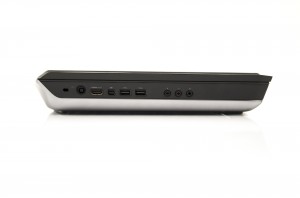
It’s expected that a desktop replacement as large as this one include all the ports you could possibly need. The Alienware 18 has everything from HDMI in/out to dual headphone jacks and a slot-loading optical drive. The font of the notebook is dominated by massive speaker grills while the back is loaded with equally massive heat vents. On the left side you’ll find a Kensington lock slot, AC power jack, HDMI in/out, mini-DisplayPort, two USB 3.0 ports, microphone jack, and two headphone jacks. Flip over to the right side and you’ll see a media card reader, slot-load optical drive, two more USB 3.0 ports and Ethernet.
 |
| Left side |
3.) Screen and Speakers
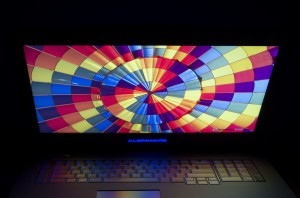 The standard 18.4″ display – the largest available on any notebook – has a FHD (1920×1080) resolution and glossy surface coating. It uses IPS (In-Plane Switching) technology which allows it to have unlimited viewing angles – the picture remains consistent even if you’re looking in from an angle. The picture quality is beautiful; lively, well-saturated colors and excellent contrast make looking at just about anything enjoyable, especially games and movies. The FHD resolution is great for playing games in high detail and for productivity, using two windows side-by-side.
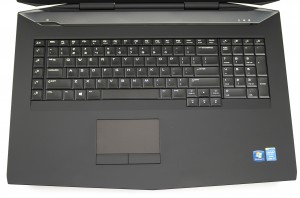 The Alienware 18’s full-size keyboard includes a separate numeric keypad and an additional row on the very left side for programming game shortcuts. The keys have LED backlighting which is situated into five separate zones; each zone can be just about any color or turned off completely via the AlienFX lighting system. Like the LED lighting on the chassis, the zones can pulse or morph between two colors as well.
Alienware 18 review unit was sent with the following specifications:
- 18.4-inch display (1920×1080 resolution, glossy surface, IPS panel)
- Windows 7 Ultimate 64-bit
- Intel Core i7-4900MQ quad-core processor (2.8GHz, up to 3.8GHz Turbo Boost, 8MB cache, 47W TDP – factory overclocked w/ up to 4.0GHz Turbo Boost)
- Dual Nvidia GeForce GTX 780M graphics cards w/ 4GB GDDR5 memory each
- 32GB DDR3L-1600 RAM (4x 8GB; max. supported)
- 512GB Samsung SSD (SM84)
- 750GB 7200RPM secondary hard drive (Western Digital WD7500BPKT-7)
- Blu-ray reader (HL-DT-ST CA40N)
- Broadcom 4352 802.11n/ac wireless LAN (2×2)
- Integrated Bluetooth 4.0
- Integrated HD webcam
- 8-cell li-ion battery (86 wHr)
- 1-year limited warranty
- Dimensions: 17.97″ x 12.91″ x 2.23~2.26″
- Weight: 12.1 lbs.
- Starting price: $1,994.05
- Price as configured: $3,952.12
Subscribe to:
Posts (Atom)